Meta, 2023
Read Receipts Controls
[Give users control over who can see they read their messages]
TL;DR
Impact
-
Led end-to-end design process, introducing new components and guidance to Messenger’s design system.
-
Partnered with the privacy team to ensure user privacy remained a core focus.
-
Facilitated brainstorming sessions to identify optimal design solutions.
-
Created visual mocks and prototypes for marketing bundles featured across Messenger’s social media and Newsroom.
-
Worked closely with engineering to ensure high-quality implementation aligned with design specs.
Learning highlights
-
This project was a lesson on the importance of collaborating. This was a new space for me, and it was really important for me that I got the context of privacy implications right.
Problem Statement
People want control over who can see their read receipts.
Qualitative research showed that many avoid opening messages to prevent others from knowing they've read them—whether they’re too busy to respond or simply choose not to. Whatever the reason, users need the freedom to manage their read receipts. This was among the top 4 most requested features.

➤ this is a read receipt
indicator
The Research
I audited the app to understand what kind of privacy controls were already available. Even though there was read receipt to some extent, it only allowed you to turn them off completely. Along with other research the team conducted, I was able to draw some conclusions:
👍 People are aware of the entry-point for privacy controls, which is a good thing!
👎 For the people who decide to turn them off, they are less likely to reply back, and that also causes frustration for the receiver, which is a bad thing :(
❓Other people don't use it all to avoid confusion with certain contacts.

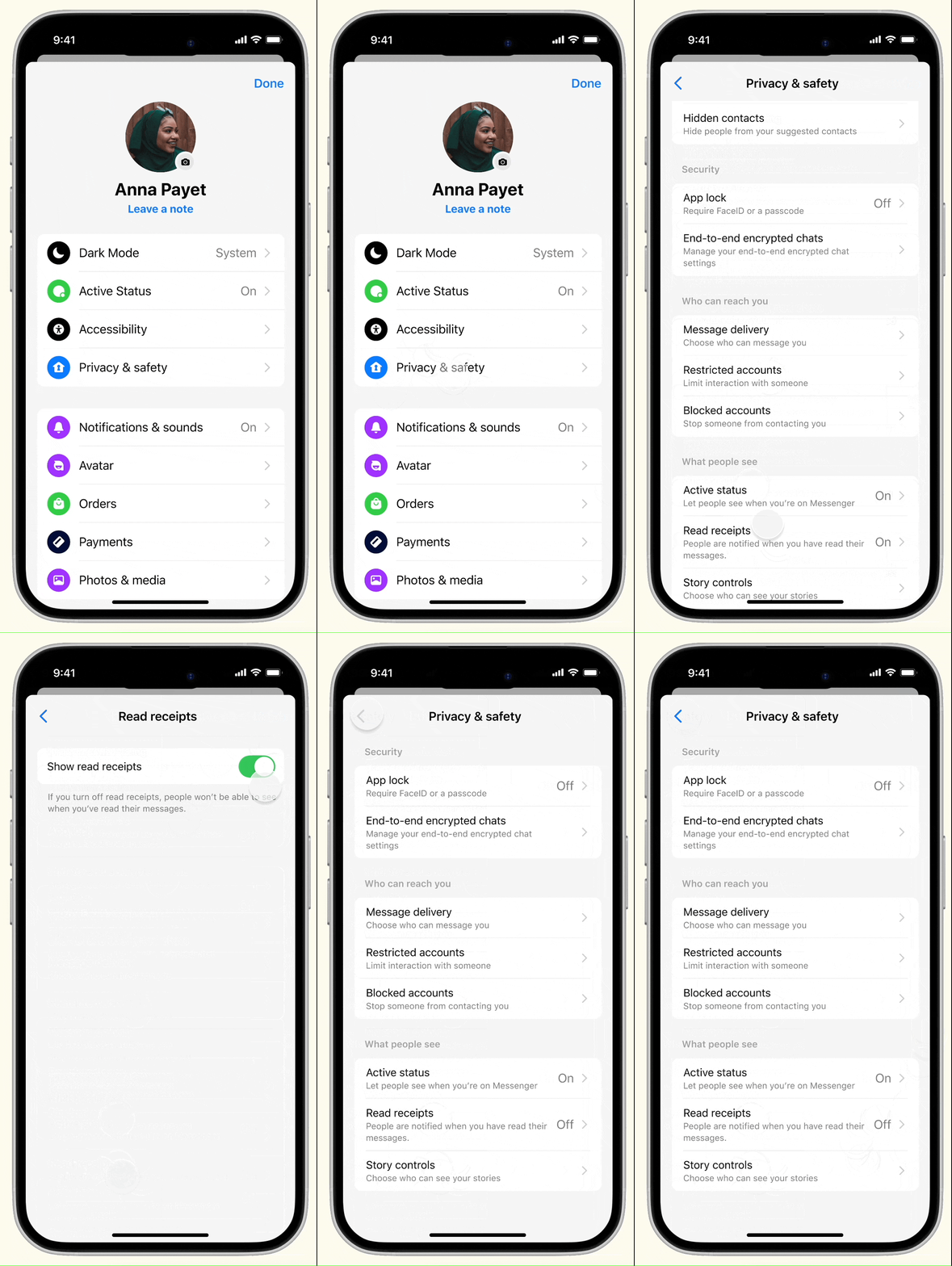
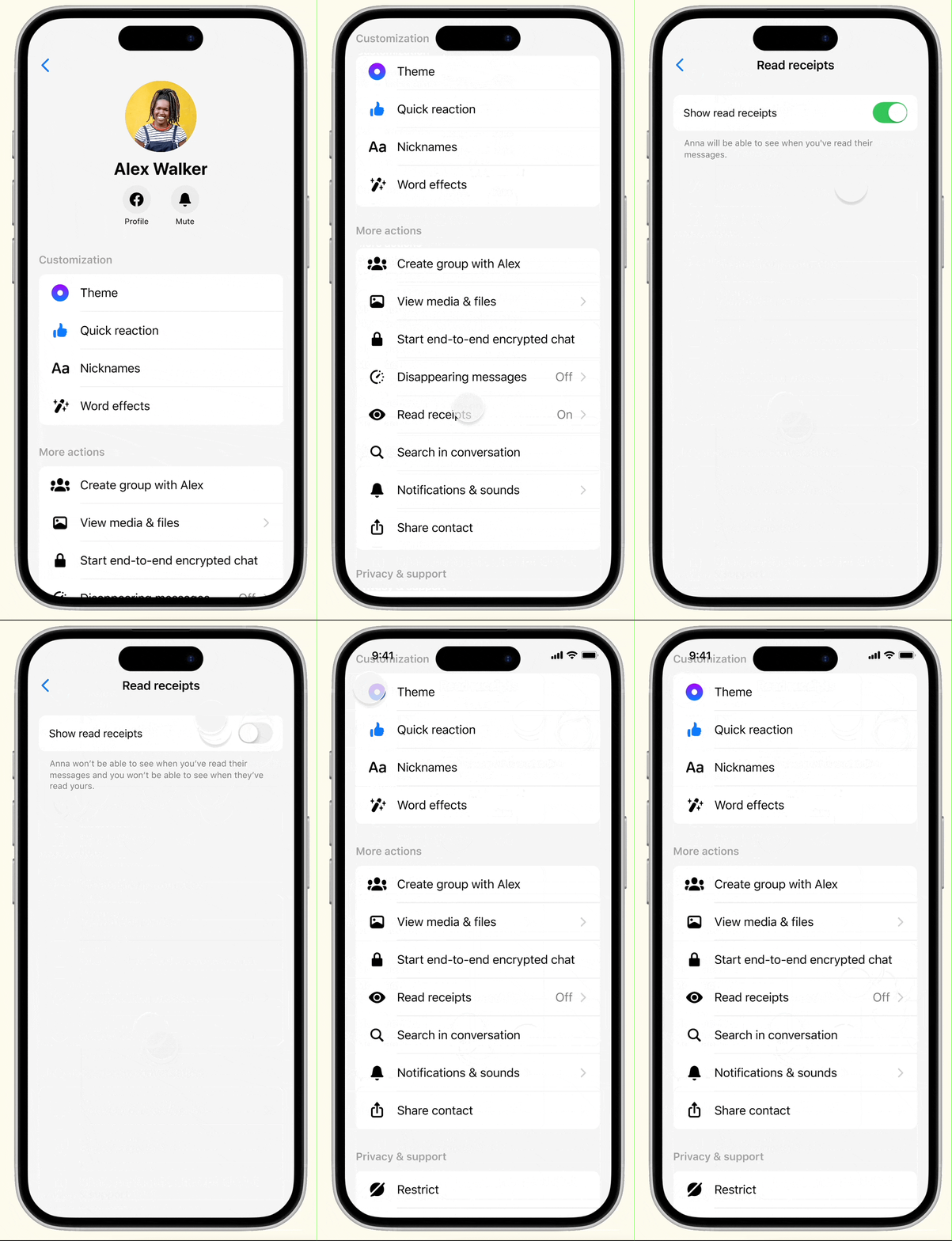
We're introducing an account-level setting that allows users to turn off read receipts for all of their chats. Moreover, users have the option to also override these settings in the chat-level.
The Solution
Before
After
The Creation
I first created static mocks to explain the experience to my design team during our feedback sessions. This helped me polish the logic of where this should live in the settings, and how to better differentiate them the 2 controls.

Since this was also introduced to group chats, there was some complexity on what each user sees. I made a visual reference to explain this scenario. Let's say there's a group chat with 3 people, and the sender turned off their read receipts indicators: